SC-A202 Overview

Plan your visit, check the room equipment and open the right step-by-step guide for your meeting.

Suitable for

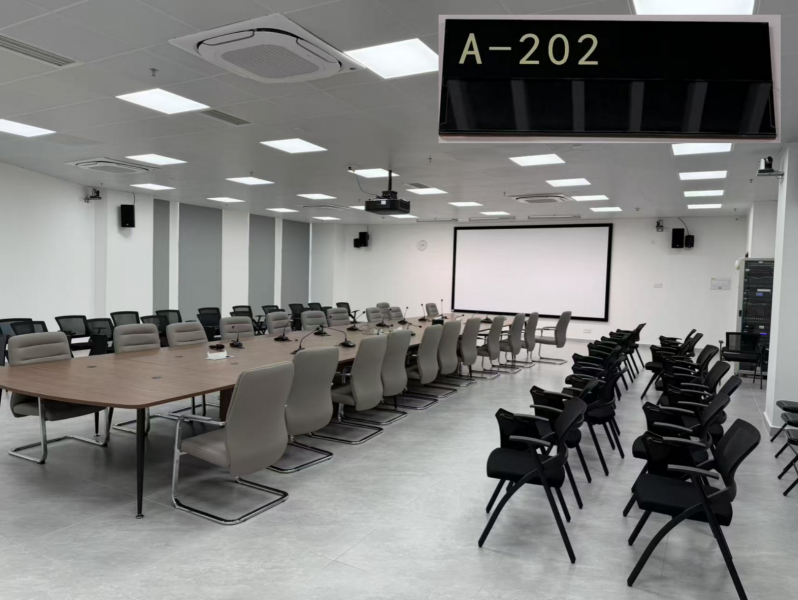
SC-A202 supports face-to-face meetings, presentations from the room PC or a laptop, Zoom Room screen sharing, microphone-assisted meetings and online / hybrid meetings.

Room at a glance

Room information

Room: SC-A202
Campus: South Campus
Building: Admin Building
Floor: 二层
Capacity: 50 people
Room Type: Meeting Room

Available equipment

Projector and projection screen; 

meeting room PC; 

3 hand-held microphones; 

16 gooseneck microphones; 

Zoom Room screen sharing; 

iPad running the Wit Control multimedia control system.
BOOKING

For booking eligibility, approval requirements and Outlook booking guides, see Booking and Access on the Meeting Rooms directory.

What would you like to do?

Choose a task to open the concise step-by-step guide.

Start the Multimedia System

Turn on the multimedia equipment and projector before your meeting.

Present Using the Room PC

Open and present your content from the computer installed in the room.

Connect Your Laptop via HDMI

Connect a laptop to the room display with an HDMI cable and compatible adapter.

Share Your Screen Wirelessly

Use the documented Zoom Room method to show your laptop screen without HDMI.

Host an Online / Hybrid Meeting

Use the room facilities for a meeting with remote participants.

Shut Down the Multimedia System

Turn off the projector first, then shut down the multimedia system correctly.

Need help?

Contact IT Support if the room equipment does not work as described.

ServiceHub: servicehub.gtiit.edu.cn  |  Email: itsupport@gtiit.edu.cn